Driver Extractor is a tool which makes creating SLD components for drivers very eas
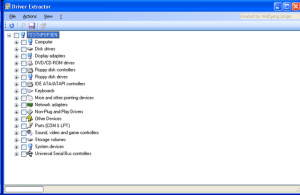y.
All you need to do is to run the tool on the target machine with XP, Vista or Windows 7 and all device drivers installed.
Then you just need to select the devices for which the drivers should be exported into an SLD file and click export.
Driver Extractor will then copy all the needed files and creates a component for XPe/WES with Repository for you.
After importing the component to the database you can easily create your image.
Requirements
- .NET Framework 3.5 SP1
- Windows Operating system with all needed device drivers installed
- WMI Support (if running on an embedded OS)
- Windows must be installed on C:\Windows in the current version
How To Use
- Run DriverExtractor.exe on the target device. The Windows version should be XP as the exported drivers are taken from the current installation. If you use Vista it will take Vista driver which might not work under XP!
- Check the devices for which you want to export the drivers.
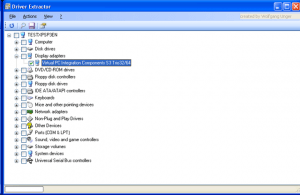
- Click Actions / Export Selected.
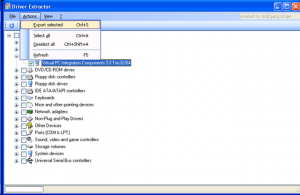
- Choose an output directory. The tool will create a separate folder for each component named by the devices name.
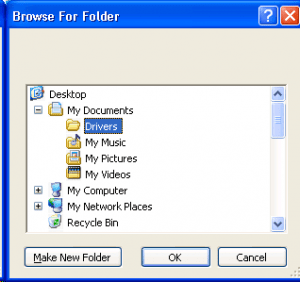
- Import the component (located in the output directory\Devicename\sld directory) into the Database by using the Component Database Manager
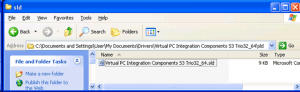 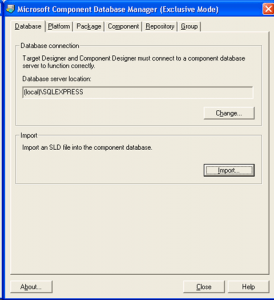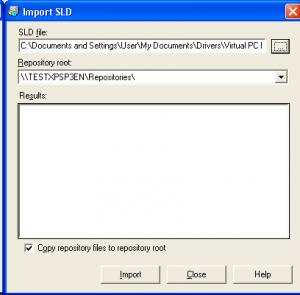
- Add the component to your configuration
Description
Menus
File / End
Ends the program
Actions / Export Selected
Exports the drivers for the selected devices
Actions / Select All
Selects all devices
Actions / Deselect All
Deselects all devices
Actions / Refresh
Refreshes the device list
View / Files of selected device
Contextmenu / Show Driver Files
Shows the needed driver files for the current selected device
View / Properties
Contextmenu / Properties
Opens the Windows properties for the current selected device
? / About
Displays information about the tool
Toolbar

 Refreshes the device list
 Shows the needed driver files for the current selected device
 Exports the drivers for the selected devices
 Opens the Windows properties for the current selected device